Some projects start from an idea that needs a first version real people can try. Others replace an old app that is slow, hard to change and frustrating on a phone. Both start the same way, with a clear picture of who will use it and what they need to get done.
Start with the people who will use it
Before we design a screen, we list the users, the devices they work on and the few jobs each one needs to finish. A tenant wants to report a leak and know when someone is coming. A field supervisor wants to approve a ticket from the truck. An administrator wants to see what is waiting.
Those jobs decide the key screens, and the key screens decide the first version. Everything else waits until real use proves it is needed.
That is the starting point for every web application development project we take on in Houston, large or small.
We design and test those screens with your users before building them, so the first version feels familiar on day one. Small details matter here: big tap targets for gloved hands, forms that save progress and wording your customers already use.
Web app or native mobile app?
Most business apps work best as a mobile-friendly web application. One codebase runs on phones, tablets and desktops, updates reach everyone at once, and there is no app store review between you and a fix.
Native apps make sense when you need device features a browser cannot provide well, such as long periods offline, background location or specialized hardware. We recommend native only when that need is real.
If you are unsure, we can start with a web app and add a native companion later for the users who need it. The records and rules underneath stay the same, so nothing is rebuilt.
- Web app fits: customer portals, staff tools, partner submissions, dashboards
- Consider native: long stretches without signal, background tracking, specialized hardware
- Either way: every screen designed for phones first
- 1 Define the users
- 2 Design the key screens
- 3 Build and test
- 4 Launch
- 5 Improve with feedback
MVP development: what a first version includes
A minimum viable product, or MVP, is the smallest version of your app that real people can use for real work. Good MVP development is mostly about deciding what to leave out.
In Houston web application development, an MVP is often the most practical way to test an idea with real customers before committing to a full build.
The first version should be small enough to ship and useful enough that people choose it over the old way. After that, feedback decides what comes next. Because the MVP is built on the same foundation as later versions, adding the second user type or the payment step extends what is there instead of starting over. Nothing is thrown away when the idea proves itself.
We write down what is out of scope, too, so nobody is surprised when a feature arrives in the second release instead of the first.
- In: the core job for the main user, done well
- In: accounts, permissions and the data that job needs
- In: basic reporting, so you can see whether it is used
- Out for now: rare edge cases, nice-to-have settings, second and third user types
✕The old app barely works on a phone
✓Every screen is designed for phones first
✕Small changes need long rounds of nervous testing
✓Automated tests let new features ship without breaking old ones
✕Customers call the office to check status
✓Customers check status themselves in the app
✕Staff retype data between separate tools
✓One set of records feeds every user's view
✕A big idea waits on a full build
✓An MVP puts the core job in users' hands first
One system, different views for different people
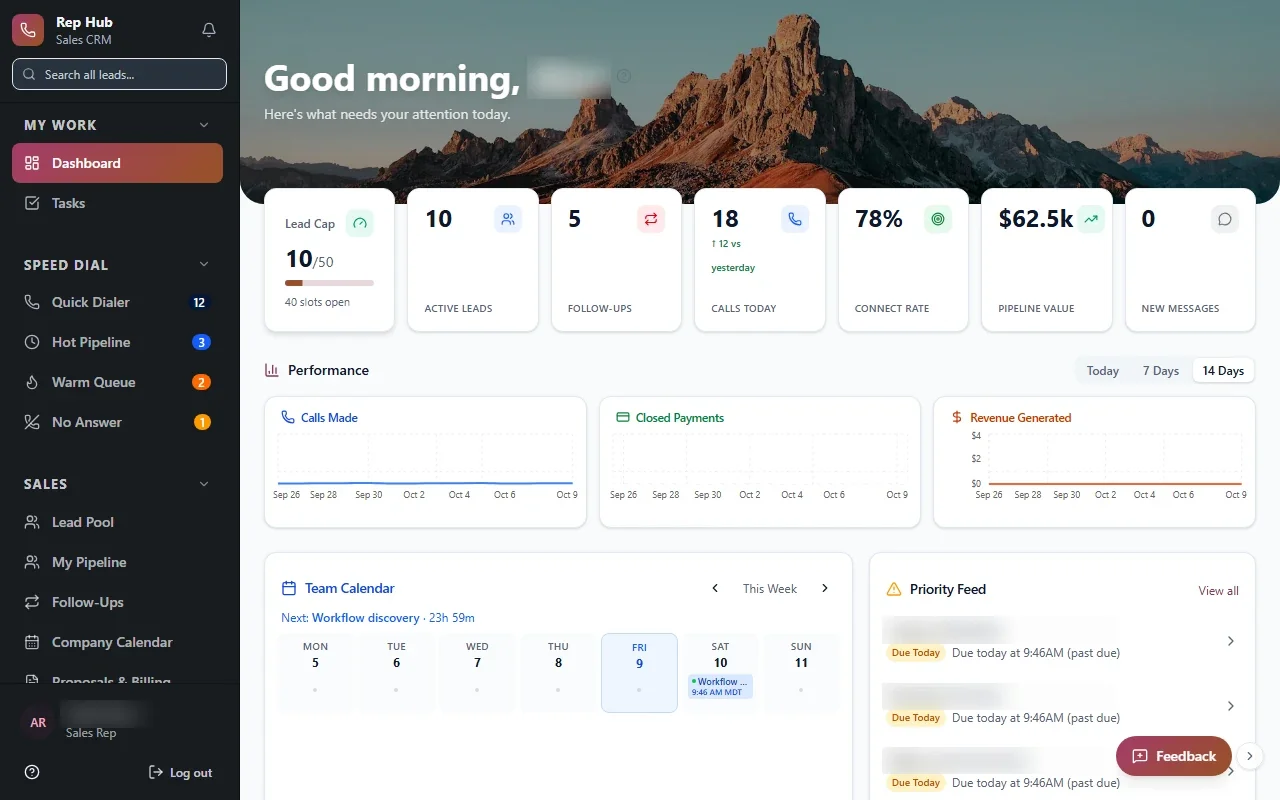
Many apps serve more than one audience. Our Rep Hub platform connects recruiting, training and a rep workspace for leads, calls, proposals and contracts. When a deal is signed and paid, activation and delivery start, and commissions connect back to the people involved. Reps, managers, administrators and delivery teams each see their own part.
Our Veritas Property Management takes the same approach with separate portals for tenants, owners and staff over one set of records. Each person sees what is meant for them, and nobody retypes information between views.
Building one system with several views also means a change to a record shows up everywhere at once, which is where most retyping errors disappear.
What web application development covers behind the screens
The screens are the visible part. Underneath, a business application needs work that users never notice until it is missing. Skipping these is how an app ends up quick to launch and slow to fix.
And you own all of it: the code, the data and the documentation.
- Secure sign-in, roles and permissions
- Notifications and confirmations that reach the right person
- Connections to your existing tools where the vendor's APIs or integration options allow
- Automated tests, so new features do not break old ones
- Hosting, backups and monitoring
- Documentation, so the next developer is not starting from zero
The system handles
- Notifications and confirmations
- Account and access management
- Data syncing
Your people decide
- Product decisions
- Customer support
- Content and pricing
Replacing an app that has worn out
Sometimes the starting point is an existing app that people tolerate rather than enjoy. Pages load slowly, a small change takes weeks of nervous testing and the phone version barely works.
We start by learning what the old app does that people actually rely on, which is often less than its menus suggest. Then we plan the move so records come across cleanly and the team can keep working during the switch. In many cases the new version can run beside the old one for a while, with users moving over one group at a time.
The aim of this kind of web application development is a replacement that is easier to change, so you do not face the same problem again.
Launch, then improve with real feedback
Good web application development in Houston should not end on launch day.
Launch is where the learning starts. In our Optimize stage we watch how people use the app, fix friction and plan the next feature from evidence rather than guesses.
Working with a web app development company close to home helps here. For app development in Houston, we can sit with your users in Katy or Pasadena, watch them try the app and adjust it based on what we see.