Most teams don't need one giant platform. They need their CRM, accounting, scheduling, EHR or field tools to share the right data, in the right direction, with a person alerted when a sync fails. We build those connections where each vendor's APIs or integration options allow, and we tell you plainly when a connection would be fragile.
Signs your systems should be talking to each other
You probably already know where the gaps are. They show up as small, repeated chores that nobody put on a job description but everyone does anyway. A few patterns come up again and again, whether the business is a clinic near the Texas Medical Center or a contractor in Katy.
- The same customer or patient is typed into two or three systems
- Someone exports a spreadsheet every Friday to reconcile totals
- Staff ask each other which screen has the current address
- A partner sends files by email and someone re-keys them
- Errors are found by customers, not by your team
Start with one question: which system is right?
Before we write any integration code, we decide which system owns each piece of data. The CRM might own contact details. Accounting owns invoices and payment status. Your scheduling tool owns appointments. When two systems both think they own the same field, they overwrite each other and nobody trusts either.
We write these rules down in a short data map: each field, where it comes from, where it goes, how often, and what happens when values conflict. This step is where system integration services for Houston businesses earn their keep, because most sync problems start with an ownership question nobody answered. The map becomes the reference your team and any future developer can check long after launch.
- The owner system for every shared field
- The direction of each sync: one way or two way
- Conflict rules, such as owner wins or newest wins
- Who is alerted when a record can't be matched
- 1 System A changes
- 2 Integration checks it
- 3 Data is mapped
- 4 System B updates
- 5 Result is logged
APIs, webhooks and file transfers: picking the right connection
There is more than one way to connect two systems. The right choice depends on what each vendor supports and how fresh the data needs to be.
An API is a documented way for one program to ask another for data or send it changes. A webhook works the other way round: the system tells us the moment something happens, like a signed contract or a new order, so we don't have to keep asking. A file-based transfer, often a CSV dropped on an SFTP server on a schedule, is older but still common and perfectly sound when it is monitored. We often combine them: a webhook signals a change, then an API call fetches the full record.
We pick the simplest method that meets the need. If your staff only look at a report each morning, a nightly transfer may be all you need. If a front desk is waiting on a record while a customer stands at the counter, it has to move within seconds.
- REST APIs for reading and writing records on demand
- Webhooks for near-real-time events
- Scheduled CSV or SFTP transfers where no API exists
- Vendor partner programs or marketplace apps where those are the supported route
✕Staff retype orders from the CRM into accounting each evening
✓A signed order creates the invoice in accounting automatically
✕Two systems keep overwriting each other's contact details
✓A data map names the owner system for every field
✕A sync breaks quietly and nobody notices for days
✓Failed messages land in a visible queue and alert someone
✕Nightly partner files are opened and checked by hand
✓Each file is validated by row, with rejects sent to an owner
✕Only the original developer knows how the connection works
✓Documented connections your team and future developers can follow
What makes an integration dependable after launch
Integrations rarely fail on day one. They fail later, when a vendor renames a field, a password expires or an API goes down for maintenance on a Saturday night. The difference between a fragile connection and a dependable one is mostly in how it handles those moments. Dependable system integration services in Houston also have to ride out the ordinary disruptions, like a vendor outage during a Gulf Coast storm, without losing a single message.
We build every connection to retry temporary failures with growing gaps between attempts, and to be safe to retry, so a repeated message never creates a duplicate invoice or patient record. Messages that still fail land in a queue a person can see and replay. Every exchange is logged with what was sent, what came back and when.
- Automatic retries with backoff
- Duplicate protection on every write
- A visible queue for failed messages
- Alerts to a named person, not a shared inbox nobody reads
API development for your own systems
Sometimes the system that needs connecting is yours. If you run custom software, an internal database or a customer portal, giving it a clean, documented API lets partners, vendors and future tools connect without anyone reaching into the database directly.
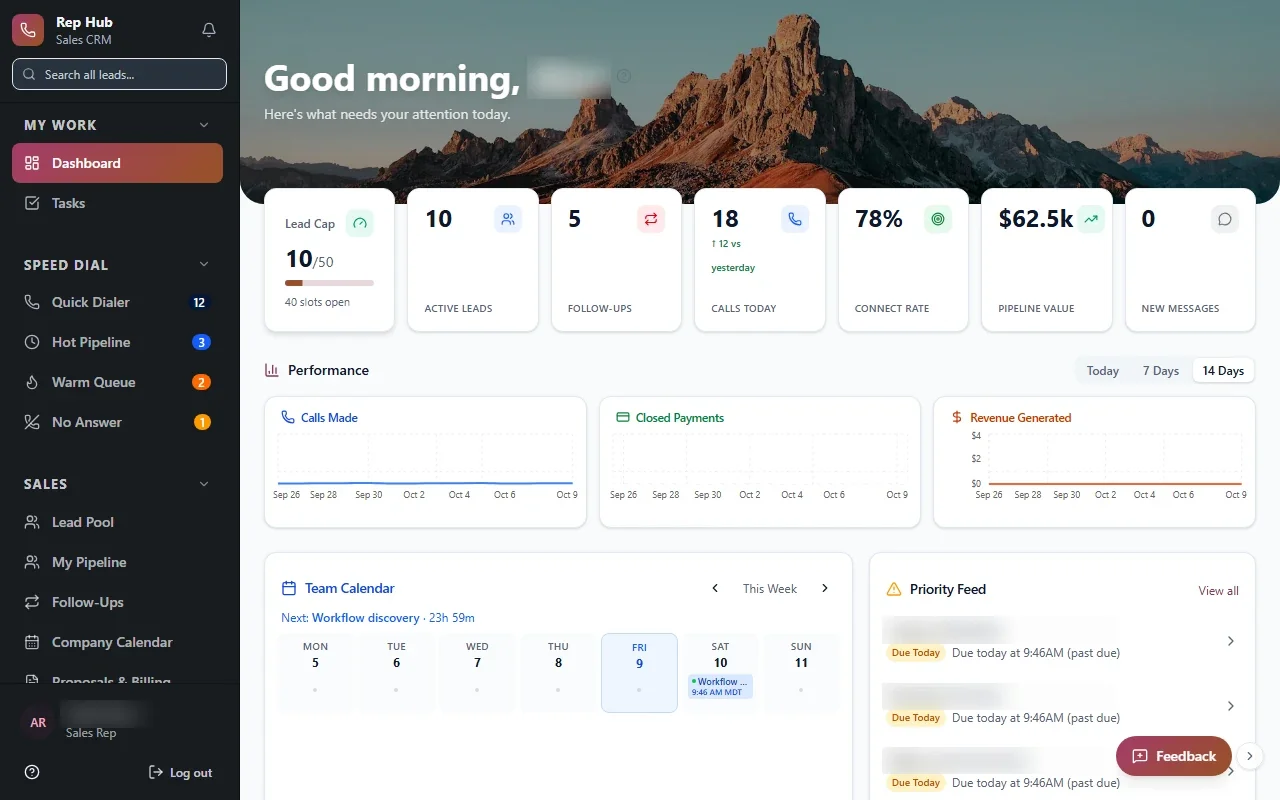
Our API development covers authentication, permission scopes, versioning so existing connections keep working when you add features, and clear documentation. In Rep Hub, a platform we built for a sales organization, a contract that is both signed and paid triggers activation and delivery. That kind of handoff only works when each system has a dependable way to tell the next one what happened.
The system handles
- Moving data between systems
- Retrying failed syncs
- Alerting on errors
Your people decide
- Resolving conflicts
- Approving new connections
- Deciding the source of truth
Healthcare data integration, built for full HIPAA compliance
Healthcare administration is one of the places where integration matters most. Intake, referral tracking, scheduling, billing and the EHR often live in separate tools, and staff spend their day copying details between them.
Healthcare data integration has its own standards. HL7 v2 is the long-established message format many systems use for events such as registrations and scheduling updates. FHIR is a newer, API-based standard that exposes records like patients and appointments in a consistent structure. Which one applies depends on what your vendor offers. We build for full HIPAA compliance with encrypted transfer, least-privilege access and audit logs, and we move only the fields each workflow needs. Clinical decisions stay with clinicians. The integration handles the administrative data around them.
How our system integration services in Houston run
We follow the same five stages as all our work: Discover, Design, Build, Launch, Optimize. Discovery means reading each vendor's documentation and confirming access before we promise anything. Design produces the data map and the plan for what happens when something fails.
During Build you see real test records moving between systems and check them against what your staff expect. We start with the one connection that removes the most retyping, launch it with monitoring in place, then add the next. You own the code, the credentials and the documentation.