

Houston, TX
healthcare specialty · houston

Patient Intake Software for Houston Practices, Built Around Your Front Desk

Patient intake software should make the first ten minutes of a visit calm instead of frantic. Bayou Thread Systems designs and builds custom patient intake software for Houston-area practices, so patients complete forms before they arrive and your front desk knows exactly who is ready, who is missing something, and what to do next.

6 min read · 7 sections · 6 answers

Front desk staff at a Houston clinic checking patient intake software on a monitor before morning appointments
Patient submits
Reminders for incomplete forms
next → Missing items requested
Illustrative: a front desk team reviewing intake status at the start of the day.

Calmer mornings at check-in

Patients finish forms at home, so the front desk greets people instead of handing out clipboards.

Problems surface before arrival

Missing cards, unsigned consents and unstarted histories show up the day before, while there is still time to fix them.

Less retyping for staff

Answers reach the chart or a review queue, so nobody copies a paper packet into the EHR after hours.

Patients answer once

Returning patients confirm what is on file instead of repeating the same history at every visit.

We are a Houston software company that specializes in healthcare administration. That means intake, referrals, EHR integration and operational reporting, built for full HIPAA compliance. Clinical decisions stay with your clinicians. Our job is the paperwork, the handoffs and the follow-up that surround them.

01

Where intake breaks down in most practices

Most intake problems are not dramatic. They are small gaps that repeat dozens of times a day. A patient arrives without their insurance card. A consent form is unsigned. A medication list is written on a clipboard and then retyped by someone who is also answering the phone.

Each gap costs a few minutes and a little goodwill. Together they push appointments late, frustrate patients in the waiting room and leave staff cleaning up data after the clinic closes. These small, repeated losses are the real problem patient intake software has to solve for a Houston practice, far more often than any single dramatic failure.

  • Paper packets retyped into the EHR by hand
  • Insurance cards photocopied, then lost or misread
  • Signatures missing on consent and financial policy forms
  • Patients asked the same questions at every visit
  • No way to know before the day starts who is ready
02

Digital patient intake that starts before the appointment

With digital patient intake, the patient gets a secure link by text or email once the appointment is booked. They complete demographics, insurance, history and consents on their phone, at home, when they have their cards and medication bottles in front of them.

Good patient intake forms adapt to the person filling them out. A returning patient confirms what is already on file instead of starting over. A new patient only sees the questions that apply to their visit type. Progress saves as they go, so a patient who gets interrupted can come back later without losing work.

Forms can be offered in more than one language, which matters across a region as varied as Greater Houston. We work with you on which languages your patients actually need and who reviews the translated wording.

// how patient intake software flows
  1. 1 Patient submits
  2. 2 Details checked
  3. 3 Missing items requested
  4. 4 Routed to an owner
  5. 5 Ready for the visit
03

What the front desk sees on the morning of the visit

The most useful screen in an intake system is often the simplest: today's schedule with a clear status beside each patient. Ready. Missing insurance card. Consent not signed. History not started. Your staff can work the list from the top before the first patient walks in.

Each status comes with a next step. Resend the link. Call the patient. Flag for the medical assistant. When a patient finishes a missing item from their phone in the parking lot, the status updates on its own, and nobody has to ask.

  • Daily readiness board by provider and location
  • One-click reminders for incomplete intake
  • Tablet check-in for patients who prefer to finish on site
  • A clear record of who reviewed what, and when
TodayWith patient intake software

✕Clipboards and paper packets handed out at the window

✓Patients complete secure forms on their phone before the visit

✕Insurance cards photocopied, then misread or lost

✓Card photos captured, then reviewed by staff before saving

✕Front desk learns what is missing when patients arrive

✓A readiness board shows every gap before the day starts

✕Staff retype intake answers into the EHR

✓Answers flow to the chart or a one-click review queue

✕Returning patients refill the full packet every visit

✓Returning patients confirm existing details and update only changes

04

Insurance, eligibility and authorization flags

Insurance details are where intake errors get expensive. Patients can photograph the front and back of their card, and staff review the captured member ID and group number before anything is saved. Where your clearinghouse or practice management system offers an eligibility check, we can connect to it so coverage questions surface days before the visit instead of at the window.

If a visit type usually needs prior authorization, intake can flag it early and hand it to whoever owns authorizations, with the payer, the service and the date in one place. The software does not decide coverage. It makes sure the right person sees the question in time to act.

05

Getting intake data into the chart without retyping

Intake only saves time if the information reaches the system your team already works in. For many Houston practices, that is the deciding question about patient intake software: does the information end up in the chart? We connect to your EHR or practice management system where the vendor's APIs or integration options allow. That might be a modern FHIR API, an HL7 v2 interface, or a scheduled file exchange.

Where a direct write is not available, we design the next best handoff: a clean summary attached to the chart, a structured export, or a review queue that lets staff accept changes with a click rather than typing them again. Our EHR integration page explains these options in more detail.

The system handles

  • Reminders for incomplete forms
  • Checking required documents
  • Routing completed intakes

Your people decide

  • Clinical review
  • Insurance exceptions
  • Patient questions
06

Designing patient intake forms people actually finish

A form that patients abandon is worse than a paper clipboard, because it creates the illusion of progress. We test forms on real phones, with real people, before launch. The goal is fewer questions, plainer wording and no dead ends.

  • Ask only what this visit type needs
  • Prefill what you already know and let patients confirm it
  • Large tap targets and readable text on small screens
  • Clear instructions for photos of cards and IDs
  • A finish screen that tells the patient what happens next
07

How we build patient intake software with your team

We follow the same five steps on every project: Discover, Design, Build, Launch, Optimize. Discovery means sitting with your front desk and walking through a real morning. Design turns that into screens your staff can react to before code is written.

During Build you see and test working software, rather than reading status updates. We start with a focused first release, often one location or one visit type, then expand once it is working. You own the code and the data. If you also need help beyond healthcare, our broader healthcare software development in Houston covers portals, internal tools and system integration.

your first release

What a first patient intake software release includes

A focused starting point, shaped with your team in Discovery and adjusted to how your Houston team works. Then we build on it.

  1. Discover
  2. Design
  3. Build
  4. Launch
  5. Optimize
Plan your first release →
release planPatient Intake Software · v1.0Ready to scope
  • Mobile intake forms for one visit type01
  • Secure intake links sent by text or email02
  • Daily readiness board for the front desk03
  • Automatic reminders for incomplete intake04
  • Staff review queue before data is saved05
  • Connection to your EHR where options allow06
Then: connect more tools, add automation and AI as your team is ready.
in practice

What patient intake software looks like day to day

Illustrative scenarios, not client stories.

New patient packets for a specialty clinic near the Texas Medical Center

Picture a specialty clinic that books new patients weeks out. Intake links go out at booking, reminders follow if forms stay incomplete, and the front desk starts each day with a list of who still needs insurance or consents. Staff spend the morning calling three patients instead of chasing twenty at the window.

Build something like this →Every system is shaped around your own process.
faq

Patient Intake Software: questions we hear

Still unsure? Ask us directly.

What is patient intake software?

Patient intake software collects the information a practice needs before a visit, such as demographics, insurance, medical history and signed consents, and routes it to staff and systems. Patients usually complete it on their phone before arriving. A good system also shows the front desk who is ready and who is missing something, so problems get fixed before check-in.

Why build custom intake software instead of buying an off-the-shelf tool?

Custom intake makes sense when your visit types, locations or handoffs do not fit a packaged product. Many practices start with a generic form tool and end up retyping data or running parallel spreadsheets. A custom build matches your actual workflow, connects to your systems where integration options allow, and gives you ownership of the code and data.

Is your patient intake software HIPAA compliant?

We build intake software for full HIPAA compliance, with access controls, audit trails and careful handling of protected health information. We sign a Business Associate Agreement before handling protected health information, and a HIPAA-trained member of our team works with your compliance lead so the software fits your policies.

Can digital intake data go straight into our EHR?

Often, yes, where the EHR vendor's APIs or integration options allow it. Depending on the system, that may be a FHIR API, an HL7 v2 interface or a scheduled file exchange. When direct writing is not available, we design a review queue or structured summary so staff accept information with a click instead of retyping it.

What if some patients do not want to fill out forms on a phone?

Patients who prefer not to use their phone can complete the same forms on a tablet at check-in, or staff can enter answers while talking with them. Everything lands in the same record with the same statuses. The goal is to make the digital path easy for most people without making anyone feel pushed into it.

How do you start a patient intake software project in Houston?

We start with Discovery, which means watching how intake works today and identifying where time and information get lost. From there we design screens your staff can review, then build a focused first release, often one visit type or one location. You test working software during the build, and we expand once that first release is working well.

often built together

Patient Intake Software works best connected

Most teams start with one system and connect the next when they are ready. These are the services most often built alongside patient intake software, on the same record.

All services →
built by our team

See the pattern in a real system

Requests with photos, documents and history, moving from report to closure with every party seeing exactly what they need.

All highlighted work →
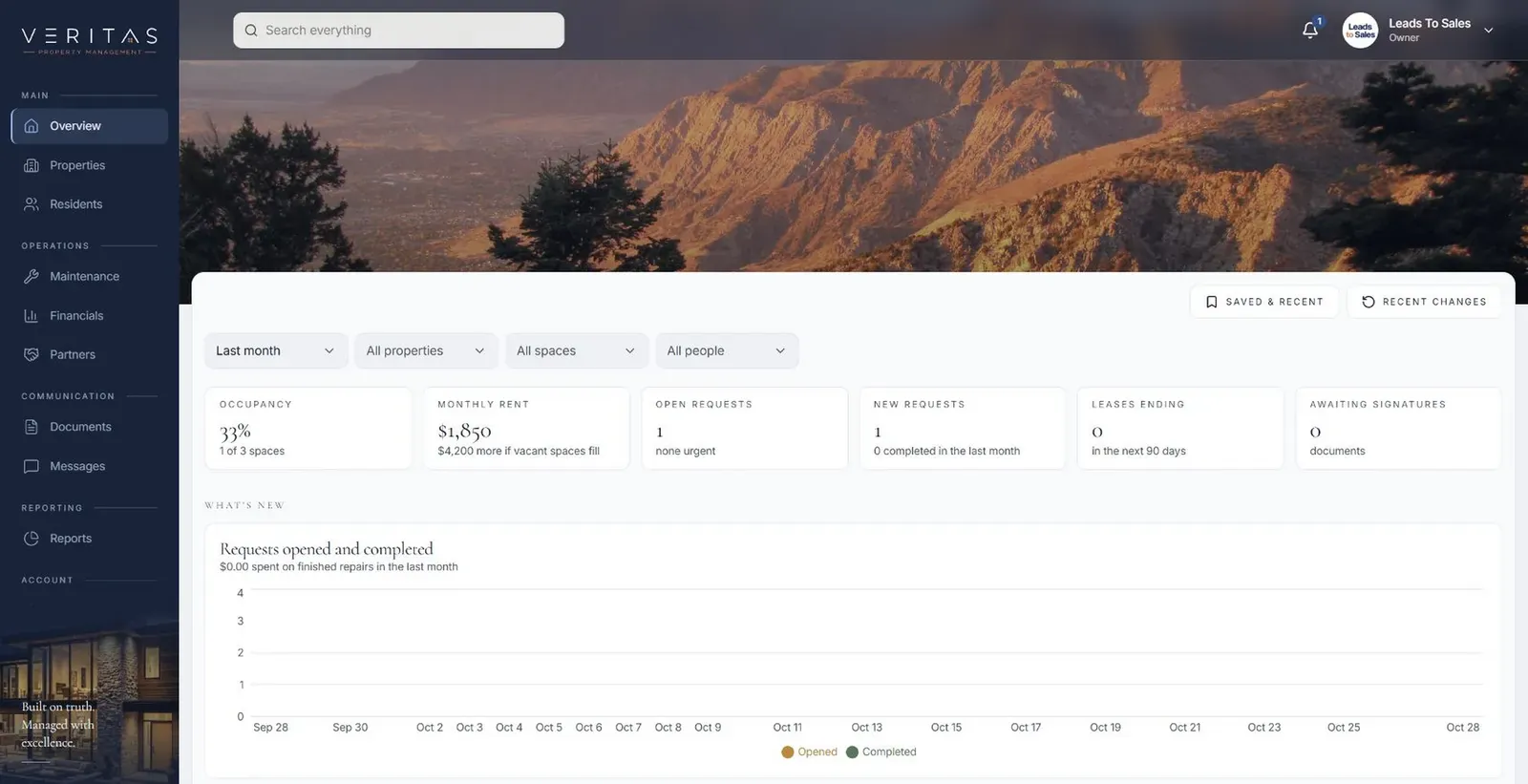
Veritas Property ManagementVeritas Property Management portfolio overview with properties, occupancy and requests In build · Residential property managementVeritas Property ManagementTenants, owners and staff connected around the same requests, records and updates.View the project →

Start with the problem. We'll build the possibility.

Tell us what slows your team down. We'll map it with you and suggest a useful first release, whether you're in Houston or anywhere in Greater Houston.